
Modules  →  Ship Operations

Ship Operations & Voyage Management

Real-time visibility across voyages, port calls, noon reports, and emissions — all feeding compliance and analytics automatically.

Operation fixes that at the source.

Crews already submit noon reports every day. The problem is what happens after — scattered data, manual re-entry, compliance gaps.

Enter once, use everywhere

One noon report automatically feeds compliance, voyage tracking and performance analytics — accurate, every time.

Know where every vessel stands

Real-time visibility into voyages, ports and cargo means faster decisions and fewer surprises.

Emissions reporting, done for you

EEOI and CII data flow straight from operations, so EU MRV, UK MRV and IMO DCS reporting stops being a scramble.
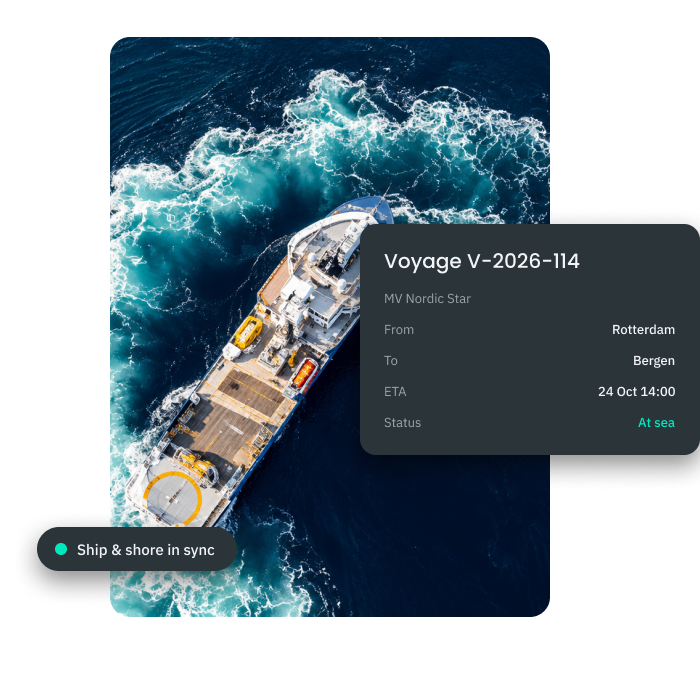
  • Voyage Itinerary Management
  • ETA & ETB Tracking
  • Port Call Overview
  • Cargo Operations Visibility
  • Voyage History & Archive
Premaster Ship Operations – voyage management
Voyage Management

Complete Voyage Oversight

ShipManager gives you real-time visibility across every vessel journey — from departure through arrival, including port calls, ETAs, ETBs, and cargo operations. Voyage itineraries, crew and charterer information, and integrated workflows are all accessible in one place, with full archival for audits.
  • Voyage Itinerary Management
  • ETA & ETB Tracking
  • Port Call Overview
  • Cargo Operations Visibility
  • Voyage History & Archive
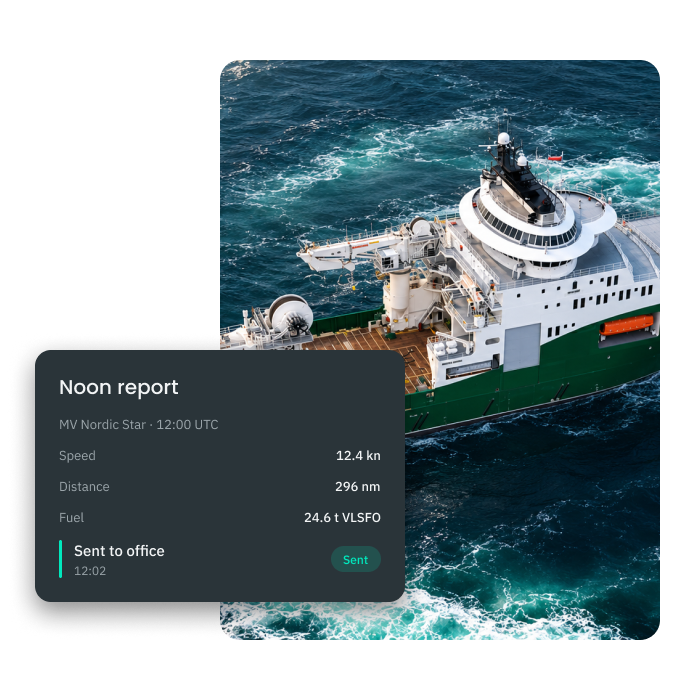
  • Digital Deck & Engine Logbooks
  • Structured Noon Report Templates
  • Automatic Data Consolidation
  • Timestamped & Audit-Ready Entries
  • Real-Time Reporting to Office
Premaster Ship Operations – logbooks noon reports
Digital Logbooks & Noon Reporting

Smart Noon Reporting, Made Easy for Crews

ShipManager digitizes deck and engine logbooks with structured noon report templates that crews fill out once — and office teams get instant, consolidated data without manual re-entry. All entries are timestamped, traceable, and ready for audits.

  • Digital Deck & Engine Logbooks
  • Structured Noon Report Templates
  • Automatic Data Consolidation
  • Timestamped & Audit-Ready Entries
  • Real-Time Reporting to Office
  • Arrival & Departure Timestamps
  • Berthing & Unberthing Records
  • Cargo Operation Logs• Laytime Calculation Support
  • Shared Access for Masters & Agents
Premaster Ship Operations – statement of facts
Statement of Facts

Accurate Port Records, Every Time

ShipManager captures all key port events — arrival, berthing, cargo operations, and departure — in a structured Statement of Facts. Vessel masters and agents work from the same data, reducing disputes and ensuring accurate laytime calculations.
  • Arrival & Departure Timestamps
  • Berthing & Unberthing Records
  • Cargo Operation Logs• Laytime Calculation Support
  • Shared Access for Masters & Agents
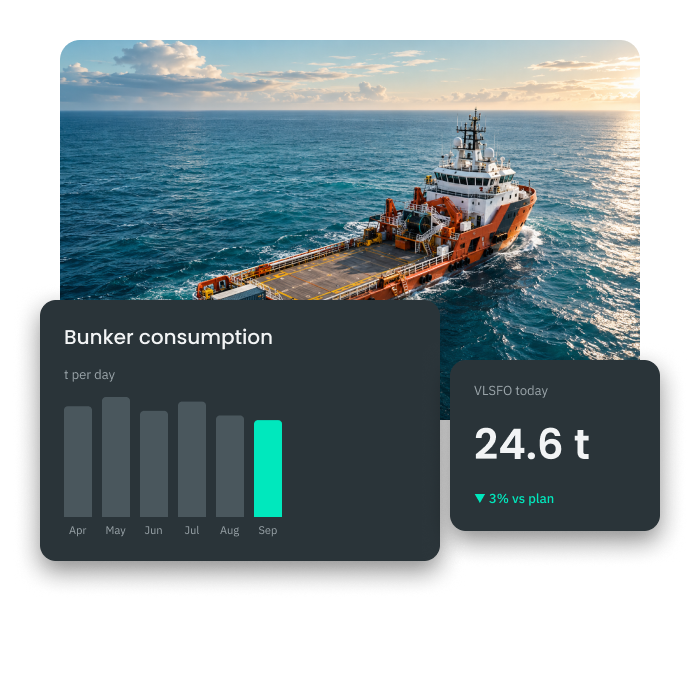
  • Daily Bunker Consumption Tracking
  • Per-Voyage Fuel Records
  • Automatic Feed to Emissions Reporting
  • Fleet-Wide Consumption Overview
  • Deviation Alerts on Abnormal Usage
Premaster Ship Operations – bunker consumption
Bunker Consumption Logs

Full Visibility Into Fuel Use Across the Fleet

ShipManager records bunker consumption at the vessel level, giving fleet managers accurate fuel data for every voyage. Consumption figures feed directly into emissions calculations and performance reporting, eliminating manual reconciliation.
  • Daily Bunker Consumption Tracking
  • Per-Voyage Fuel Records
  • Automatic Feed to Emissions Reporting
  • Fleet-Wide Consumption Overview
  • Deviation Alerts on Abnormal Usage
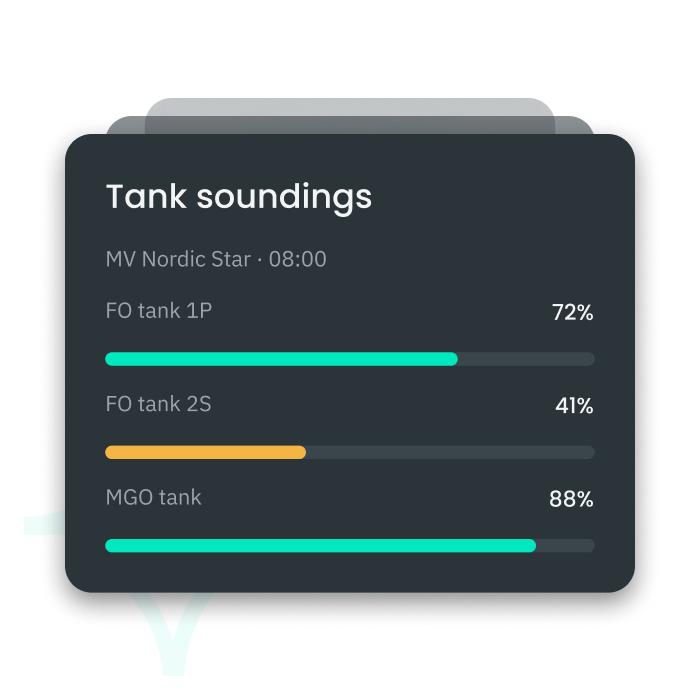
  • Multi-Tank Monitoring (FO, DO, FW and more)
  • Continuous Level Logging
  • Per-Voyage Tank Records
  • Real-Time Visibility for Office Teams
  • Audit-Ready Tank History
Premaster Ship Operations – tank consumption
Tank Consumption Logs

Detailed Tank-Level Monitoring for Every Vessel

ShipManager tracks consumption across all onboard tanks — fuel oil, diesel oil, fresh water, and more — giving operators a complete picture of tank levels throughout the voyage. Data is logged continuously and available to office teams in real time.
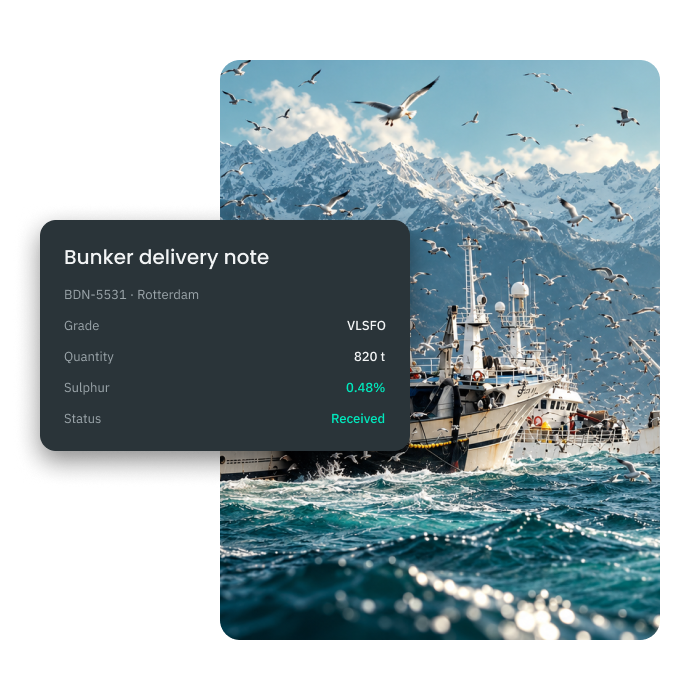
  • Multi-Tank Monitoring (FO, DO, FW and more)
  • Continuous Level Logging
  • Per-Voyage Tank Records
  • Real-Time Visibility for Office Teams
  • Audit-Ready Tank History
  • Digital BDN Capture & Storage• Linked to Vessel, Voyage & Fuel Type
  • Instant Office Accessibility
  • Compliance-Ready for EU MRV, UK MRV & IMO DCS
  • Full Audit Trail per Delivery
Premaster Ship Operations – bunker delivery notes
Bunker Delivery Notes (BDN)

Digital BDN Management From Delivery to Archive

ShipManager captures and stores Bunker Delivery Notes digitally, linking each delivery to the relevant vessel, voyage, and fuel type. BDNs are immediately available to office teams and auditors, supporting EU MRV, UK MRV, and IMO DCS compliance.
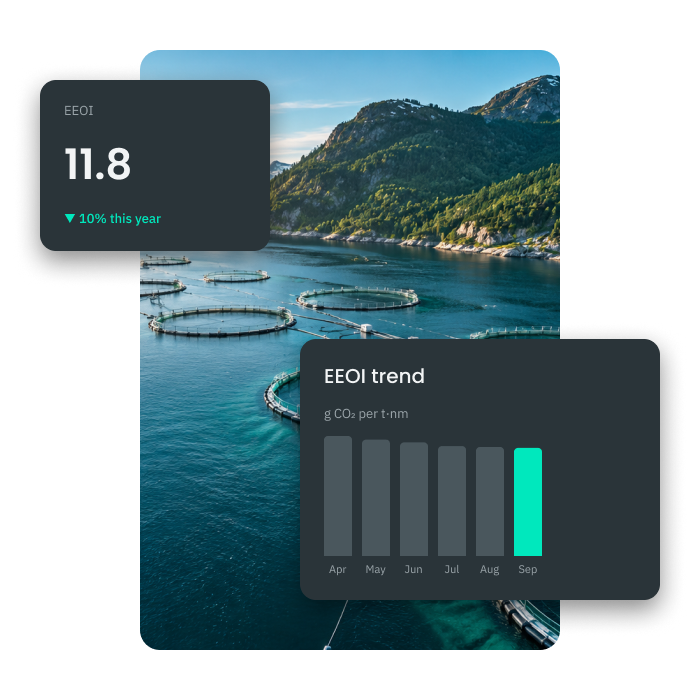
  • Digital BDN Capture & Storage• Linked to Vessel, Voyage & Fuel Type
  • Instant Office Accessibility
  • Compliance-Ready for EU MRV, UK MRV & IMO DCS
  • Full Audit Trail per Delivery
  • Automatic EEOI Calculation
  • Based on Live Voyage & Bunker Data
  • Fleet-Wide and Per-Vessel Views
  • Trend Tracking Over Time
  • Export-Ready for Regulatory Reporting
Premaster Ship Operations – EEOI
EEOI

Energy Efficiency Tracking Built Into Daily Operations

ShipManager calculates the Energy Efficiency Operational Indicator (EEOI) automatically from voyage and bunker data already in the system. No separate calculations or spreadsheets — EEOI figures are always up to date and ready for reporting.
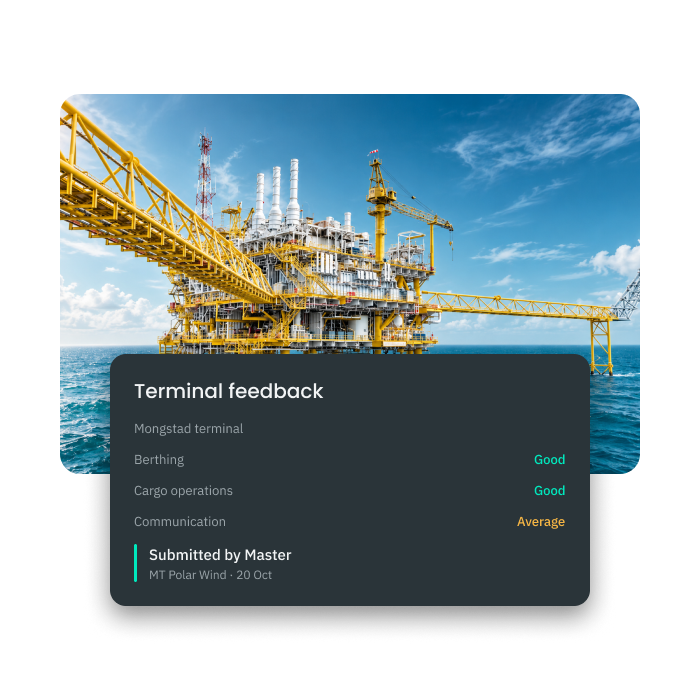
  • Automatic EEOI Calculation
  • Based on Live Voyage & Bunker Data
  • Fleet-Wide and Per-Vessel Views
  • Trend Tracking Over Time
  • Export-Ready for Regulatory Reporting
  • Structured Feedback Templates
  • Berth & Terminal Condition Reports
  • Agent Performance Ratings
  • Comparable Data Across Port Calls
  • Searchable Port & Terminal History
Premaster Ship Operations – terminal master feedback
Terminal Master Feedback

Structured Port Feedback, Captured at the Source

ShipManager lets vessel masters submit structured feedback on port and terminal conditions directly from the vessel — berth quality, equipment reliability, agent performance, and more. Office teams get consistent, comparable data across all port calls.

  • Structured Feedback Templates
  • Berth & Terminal Condition Reports
  • Agent Performance Ratings
  • Comparable Data Across Port Calls
  • Searchable Port & Terminal History
  • Off-Hire Event Registration• Cause & Duration Logging
  • Cost Impact Tracking
  • Insurance Claim Documentation
  • Fleet-Wide Off-Hire Overview
Premaster Ship Operations – loss of hire
Loss of Hire

Track and Document Every Off-Hire Event

ShipManager records loss of hire events with full details — cause, duration, and cost impact — giving owners and managers accurate documentation for insurance claims and performance analysis. Every off-hire period is traceable and audit-ready.
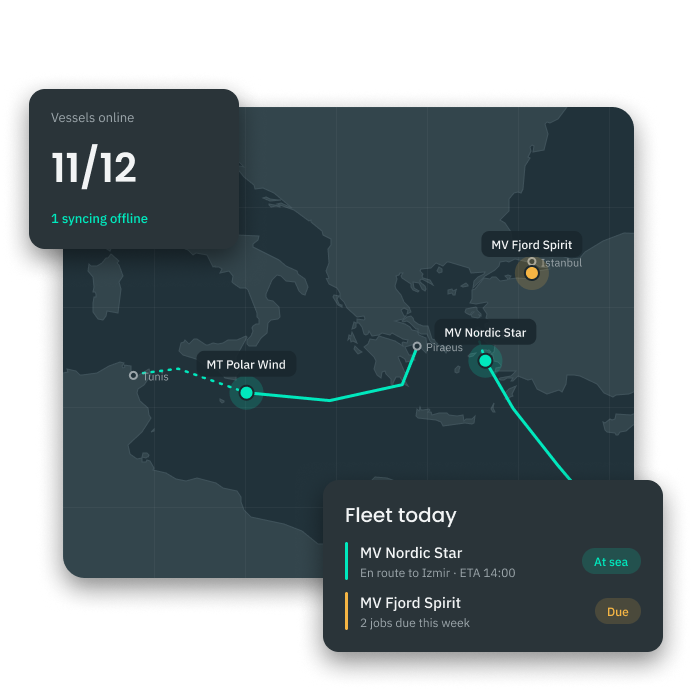
  • Off-Hire Event Registration• Cause & Duration Logging
  • Cost Impact Tracking
  • Insurance Claim Documentation
  • Fleet-Wide Off-Hire Overview
  • Live Vessel Position Tracking
  • Current Voyage & Port Call Status
  • Interactive Fleet Map• Fleet-Wide Situational Overview
  • AIS-Integrated Position Data
Premaster Ship Operations – fleet on map
Fleet on Map

Real-Time Vessel Positions Across Your Entire Fleet

ShipManager displays live vessel positions on an interactive map, giving fleet managers instant situational awareness — where every vessel is, its current voyage status, and upcoming port calls. All in one view, updated in real time.

  • Live Vessel Position Tracking
  • Current Voyage & Port Call Status
  • Interactive Fleet Map• Fleet-Wide Situational Overview
  • AIS-Integrated Position Data

Works seamlessly with

Procurement

Turn approved requisitions into purchase orders without leaving the platform.

Planned Maintenance (PMS)

Attach ISM forms and risk assessments straight to the maintenance tasks they belong to.

Crew Management

Link payroll and crew costs directly to vessel and voyage budgets.

Let's talk!

A member of our team will be in touch soon.

Thank you! Your submission has been received!
Oops! Something went wrong while submitting the form.
By clicking “Submit” you agree to our TOS and Privacy Policy.
Looking for technical and product support? Click here.