
Modules  →  ISM Documents

International Safety Management (ISM) & Document Management

Create, share, track and control every document your ISM Code requires. Directly in the ShipManager system, always audit-ready.
Upload Any Format
Track Every Revision
Digitize ISM Forms
Sign with E-Signatures
Maritime AI Assistance
Streamline Approvals

Every ISM document, controlled, compliant and accessible — across your entire fleet.

Unstructured ISM documentation leads to failed audits, version confusion and compliance gaps.

Never fail an ISM audit

All required ISM documents are version-controlled, approved and audit-ready at all times.

No more version confusion

Every document change is tracked with a full revision history and side-by-side comparison.

Available even without internet

Crew access ISM documents offline on any device, with automatic sync when connectivity returns.
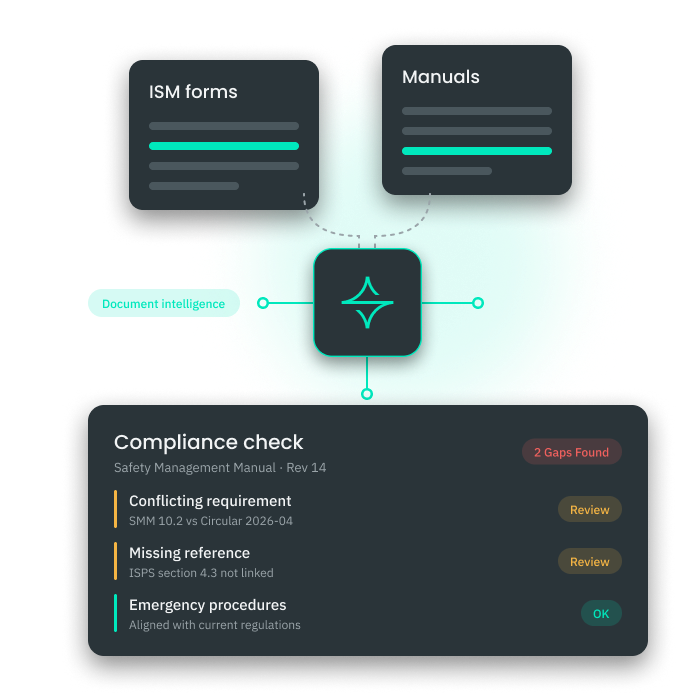
  • Extract key insights from ISM & ISPS forms
  • Identify compliance gaps and improvement areas with AI analytics
  • Generate automated compliance reports
  • Improve decision-making for HSEQ and fleet managers
Premaster ISM Documents – AI document intelligence
AI-Powered Document Intelligence

Capture & Analyze ISM Data & Identify Compliance Gaps

Analyzing large amounts of ISM compliance data manually is time-consuming. AI-Powered Document Intelligence automates this by extracting insights from ISM forms and safety reports, so fleet managers can track trends and make data-driven decisions.
  • Extract key insights from ISM & ISPS forms
  • Identify compliance gaps and improvement areas with AI analytics
  • Generate automated compliance reports
  • Improve decision-making for HSEQ and fleet managers
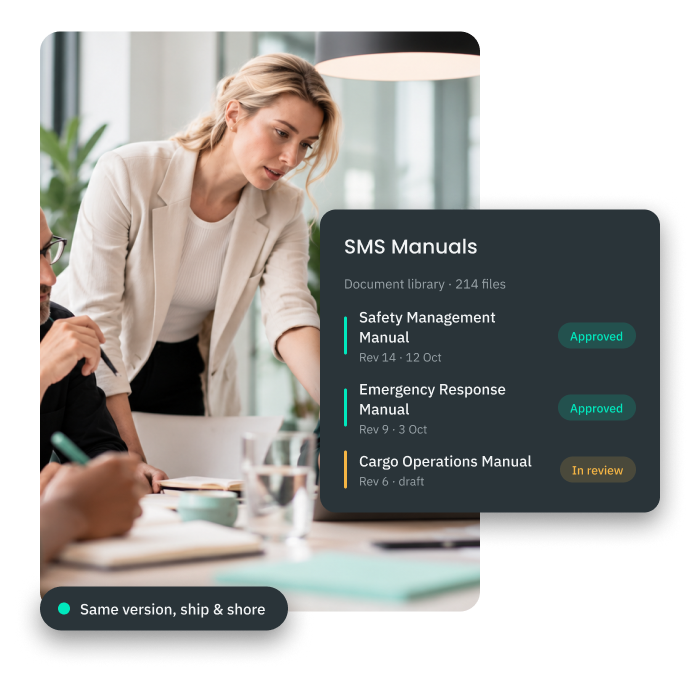
  • Organize ISM & ISPS documents with a structured folder hierarchy
  • Use advanced search filters to find documents instantly
  • Track full version history for every document
  • Control access with role-based permissions
Premaster ISM Documents – document library
Document Library

Keeping ISM and ISPS documents structured and accessible is essential for audits and daily operations. ShipManager's Document Library gives your team a centralized repository with powerful organization tools and instant search.
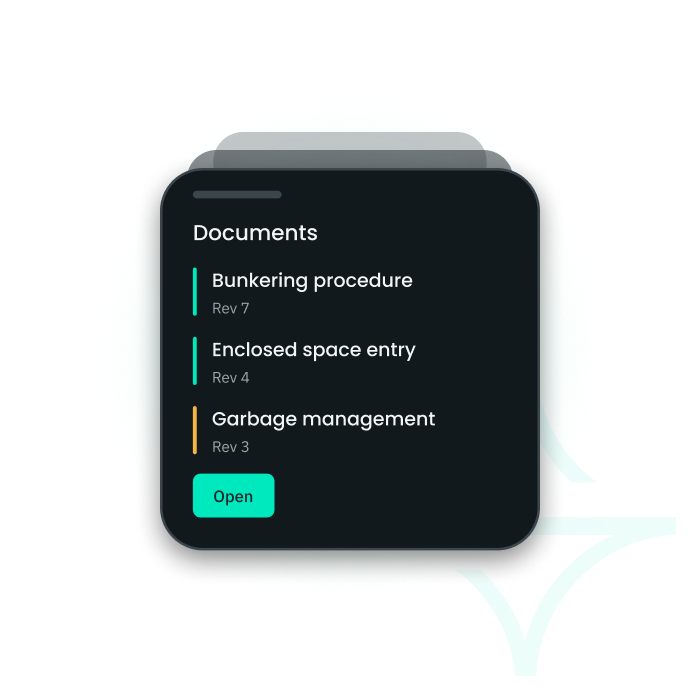
  • Organize ISM & ISPS documents with a structured folder hierarchy
  • Use advanced search filters to find documents instantly
  • Track full version history for every document
  • Control access with role-based permissions
  • View, edit, and approve documents from any mobile device
  • Access and complete digital ISM forms on mobile
  • Receive real-time notifications on document updates
  • Sync changes automatically across the system
Premaster ISM Documents – mobile document management
Mobile Document Management

View, Edit & Approve ISM Documents from Any Device

Your crew and shore-based teams need access to ISM documents wherever they are. ShipManager lets users view, edit, and approve documents — and complete digital forms — from any mobile device, with real-time updates.
  • View, edit, and approve documents from any mobile device
  • Access and complete digital ISM forms on mobile
  • Receive real-time notifications on document updates
  • Sync changes automatically across the system
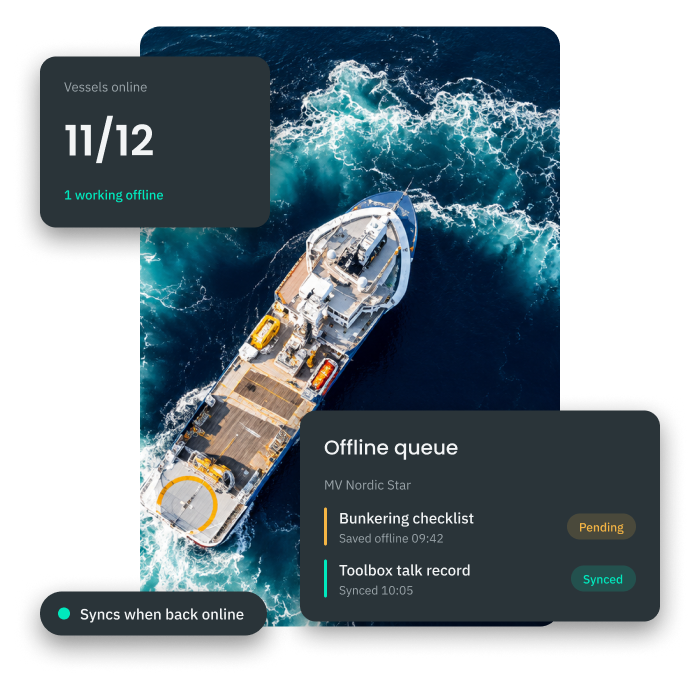
  • Access and edit documents without an internet connection
  • Sync offline updates automatically when connectivity is restored
  • Maintain compliance with remote document availability
  • Prevent data loss with reliable offline storage
Premaster ISM Documents – offline document management
Offline Document Management

Access & Edit ISM Documents Without Internet Connection

Vessels regularly operate in areas with limited or no connectivity. ShipManager ensures your crew can access and edit documents offline, with automatic synchronization once the connection is restored.
  • Access and edit documents without an internet connection
  • Sync offline updates automatically when connectivity is restored
  • Maintain compliance with remote document availability
  • Prevent data loss with reliable offline storage
  • Automated version control across all file types
  • Edit files directly within the ShipManager system
  • Convert paper ISM forms to digital format
  • Automated version control across all file types
Premaster ISM Documents – multi format document support
Multi-Format Document Support

Work with Word, Excel, PDF & PowerPoint in One System

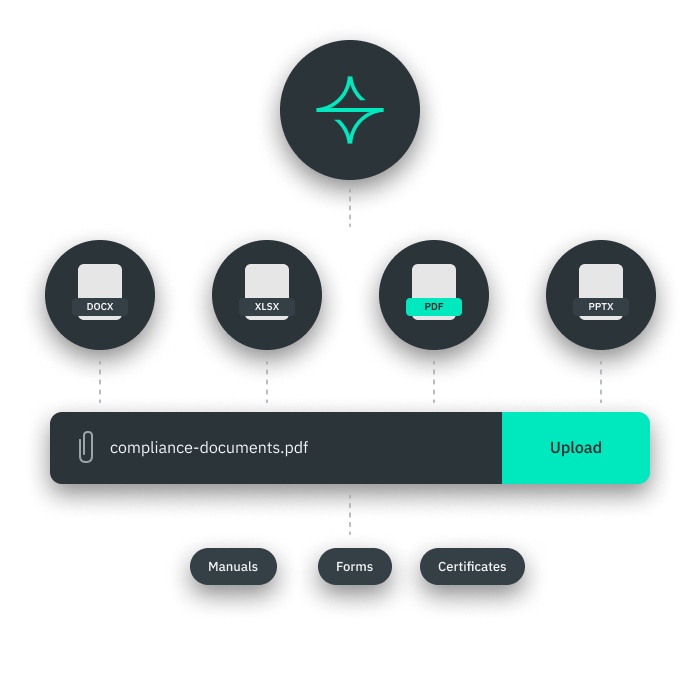
ISM documentation comes in many formats. ShipManager supports all major file types, so your team can edit documents directly in the system and convert paper forms to digital — without switching tools.
  • Automated version control across all file types
  • Edit files directly within the ShipManager system
  • Convert paper ISM forms to digital format
  • Automated version control across all file types
  • Tag documents by ISM, ISPS, and QHSE categories
  • Link related documents for easy cross-referencing
  • Use pre-defined categories for consistent classification
  • Apply colour-coded labels for instant visual identification
Premaster ISM Documents – document labeling
Document Labeling

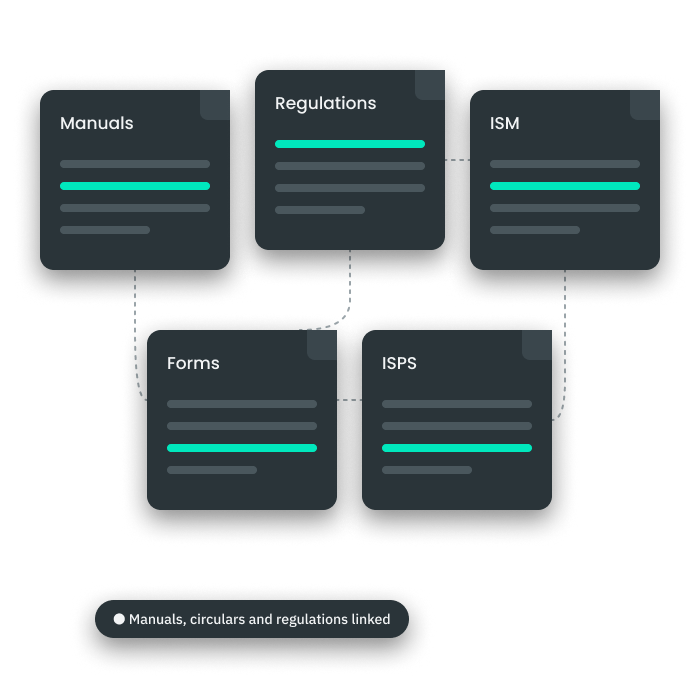
Finding the right document during an audit should never take more than seconds. ShipManager's labeling system lets you tag, link, and categorize documents for faster retrieval and consistent organization.
  • Tag documents by ISM, ISPS, and QHSE categories
  • Link related documents for easy cross-referencing
  • Use pre-defined categories for consistent classification
  • Apply colour-coded labels for instant visual identification
  • Define view, edit, and download rights per document
  • Restrict access to sensitive or confidential files
  • Assign permissions by rank, vessel, or department
  • Prevent unauthorized printing of restricted documents
Premaster ISM Documents – access control permissions
Access Control

Define Who Can View, Edit & Download Each Document

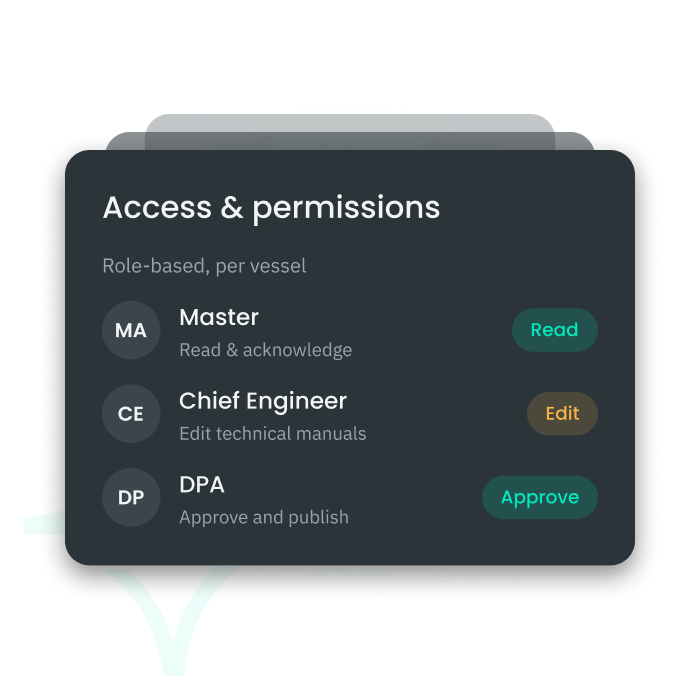
Not every crew member or shore staff needs access to every document. ShipManager lets you set precise permissions by rank, vessel, or department — protecting sensitive ISM documentation from unauthorized access or printing.
  • Define view, edit, and download rights per document
  • Restrict access to sensitive or confidential files
  • Assign permissions by rank, vessel, or department
  • Prevent unauthorized printing of restricted documents
  • Digitize ISM & ISPS checklists and safety forms
  • Assign forms by rank, vessel, or department
  • Set automated deadlines and reminders
  • Access and complete forms offline
Premaster ISM Documents – digital forms
Digital Forms

Digitize ISM & ISPS Checklists & Automate Deadlines

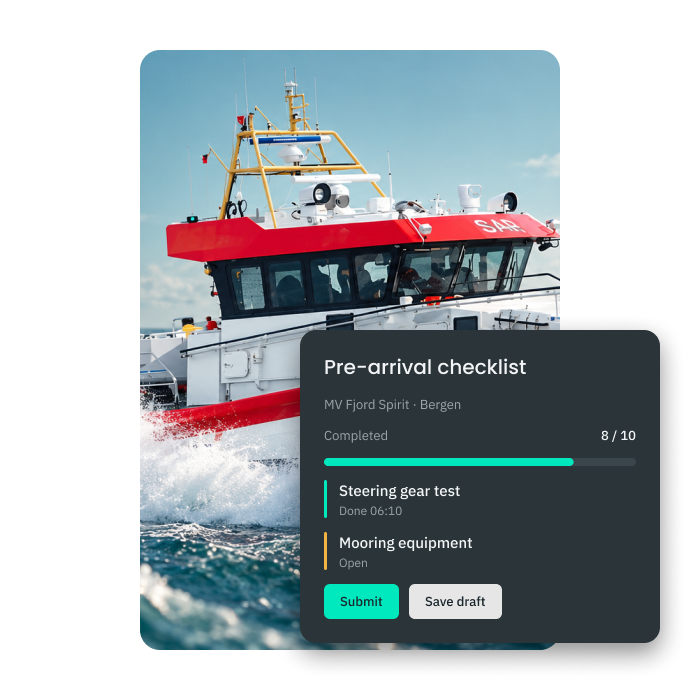
Paper-based ISM checklists create delays and compliance risks. ShipManager lets you digitize ISM and ISPS forms, assign them to the right crew members, and automate deadline tracking — including offline.
  • Digitize ISM & ISPS checklists and safety forms
  • Assign forms by rank, vessel, or department
  • Set automated deadlines and reminders
  • Access and complete forms offline
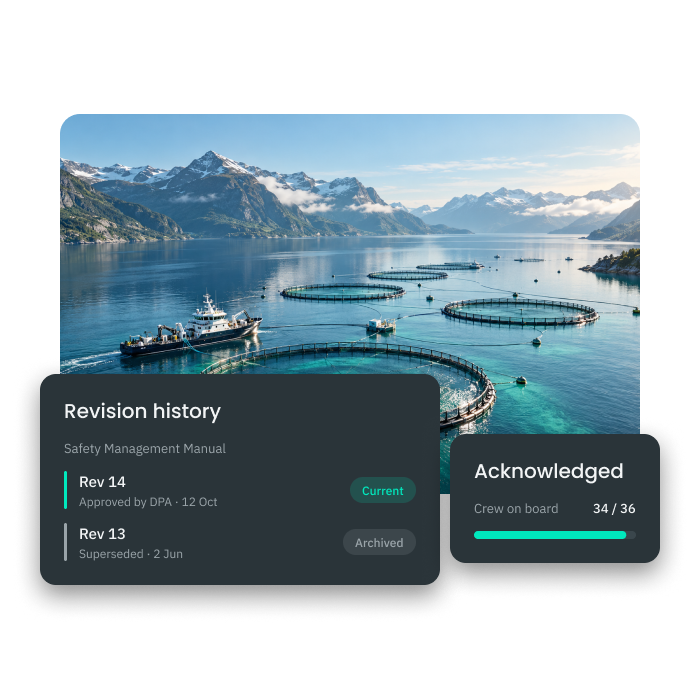
  • Access a complete revision history for every document
  • Compare document versions side by side
  • Manage approvals with a structured workflow
  • Monitor timestamps for all changes and updates
Premaster ISM Documents – revision control
Revision Control

Track Every Change with Full Document Revision History

ISM compliance requires a clear audit trail of every revision. ShipManager gives you complete visibility into document history, with side-by-side version comparisons and a structured approval workflow.

  • Access a complete revision history for every document
  • Compare document versions side by side
  • Manage approvals with a structured workflow
  • Monitor timestamps for all changes and updates

Works seamlessly with

Certificates

Keep vessel certificates and ISM documentation in sync.

RISQ

Connect risk assessments to the procedures they govern.

HSEQ

Link safety incidents directly to the documents they reference.

Let's talk!

A member of our team will be in touch soon.

Thank you! Your submission has been received!
Oops! Something went wrong while submitting the form.
By clicking “Submit” you agree to our TOS and Privacy Policy.
Looking for technical and product support? Click here.